LimeSurvey Reminder Plugin
The Limesurvey Inviter plugin allows survey administrators to automatically send reminders.
Plugin Installation LimeSurvey
- for LimeSurvey 3 copy the Reminder folder to the
pluginsfolder - for LimeSurvey 5 copy the Reminder folder to the
upload/pluginsfolder, scan for new files and install the plugin - activate the plugin at the LimeSurvey plugin manager (requires proper user rights for accessing the feature at the LimeSurvey admin interface)
- create a cron job which calls
$php application/commands/console.php plugin --target=Reminder - the cronjob should be executed at least once a day (eg 0 1 * * * for every night at 1 am)
Plugin General Settings
Plugin General Settings are valid for every survey.
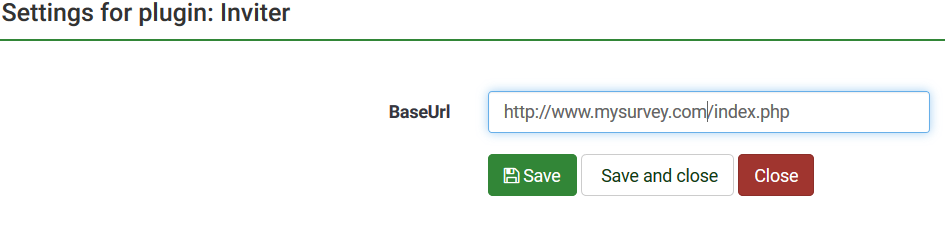
- Check, if the BaseUrl-Setting is set correctly (but it should automatically on activating the plugin)
- https://yourlimesurvey.com/index.php
Plugin Survey Settings
Plugin Survey Settings are valid for one survey only.
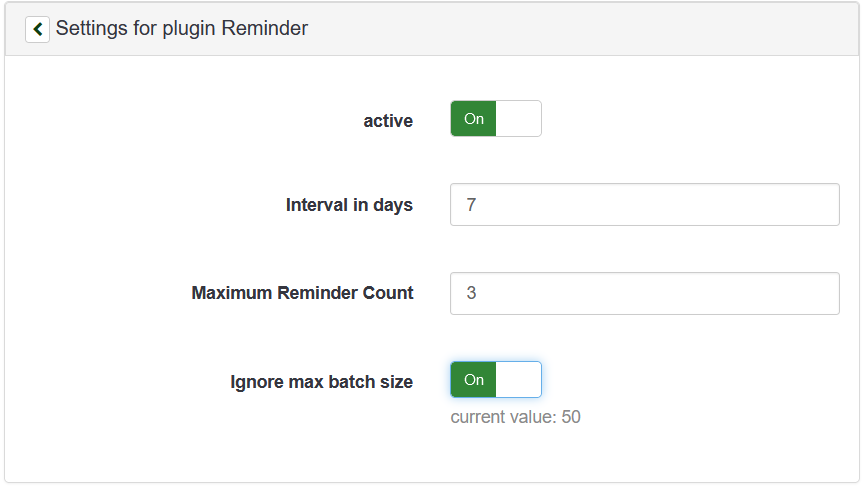
isActive(yes/no)reminderInterval(eg 7 for 7 days, the reminder will wait before sending a new reminder email)maxReminderCount(eg 3 for up to 3 times a participant will be reminded)ignoreMaxBatchSize(yes/no), in your global email settings you can define the number of emails, that will be sent in one go, withignoreMaxBatchSizethe Reminder will sent all relevant eamils at once
Changelog
- 1.1.1 (2021-06-19) added baseUrl on activating the plugin automatically
- 1.1.0 (2021-06-19) fixed LimeSurvey 5.x compatibility