LimeSurvey GarageSale Plugin
This Limesurvey Plugin adds a feature so that a survey admin can set the maximum number of participants being allowed to pick a certain answer option. Once that limit is reached, the option will be diabled for other participants. It can be used if you create a Limesurvey survey for users to sign up for an event with limited capacity or if you offer certain items for sale and once someone has picked an item, it should not be available for others anymore. The plugin support the Limesurvey question types "list radio" and "multuple choice", see setting details below.
Plugin Installation
- Copy the GarageSale folder to the Limesurvey "plugins" directory.
- Activate the plugin at the Limesurvey plugin manager (requires proper user rights for accessing the feature at the Limesurvey admin interface).
- At Survey settings -> "Notifications & Data management" set "Enable assessment mode" to ON. This will allow you to define the maximum number of times an option can later be selected.
Plugin Settings Radio List Question
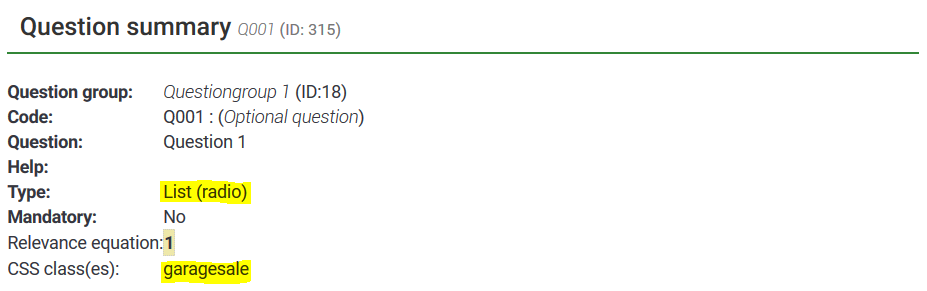
- Add a "list-radio" question.
- Add CSS class "garagesale" to the question. This setting can be found at question settings -> display.
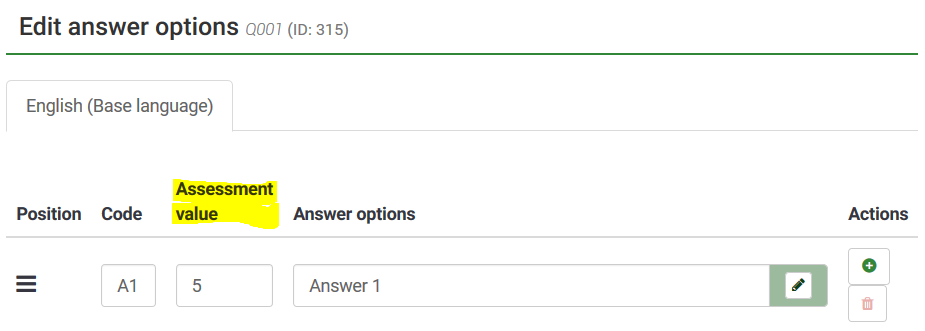
- At your list radio question go to "Edit answer options" and set the "Assessment value" to the maximum number of times participants should be allowed to select a certain option.

Plugin Settings Multiple Choice Question
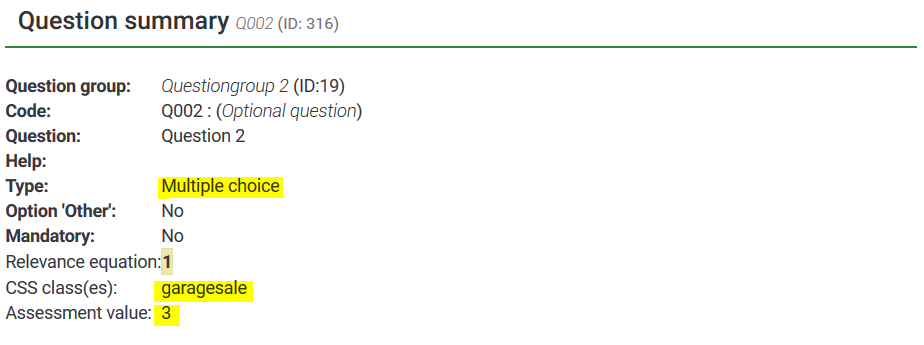
- Add a "multiple choice" question to your survey.
- Add CSS class "garagesale" to the question. This setting can be found at question settings -> display.
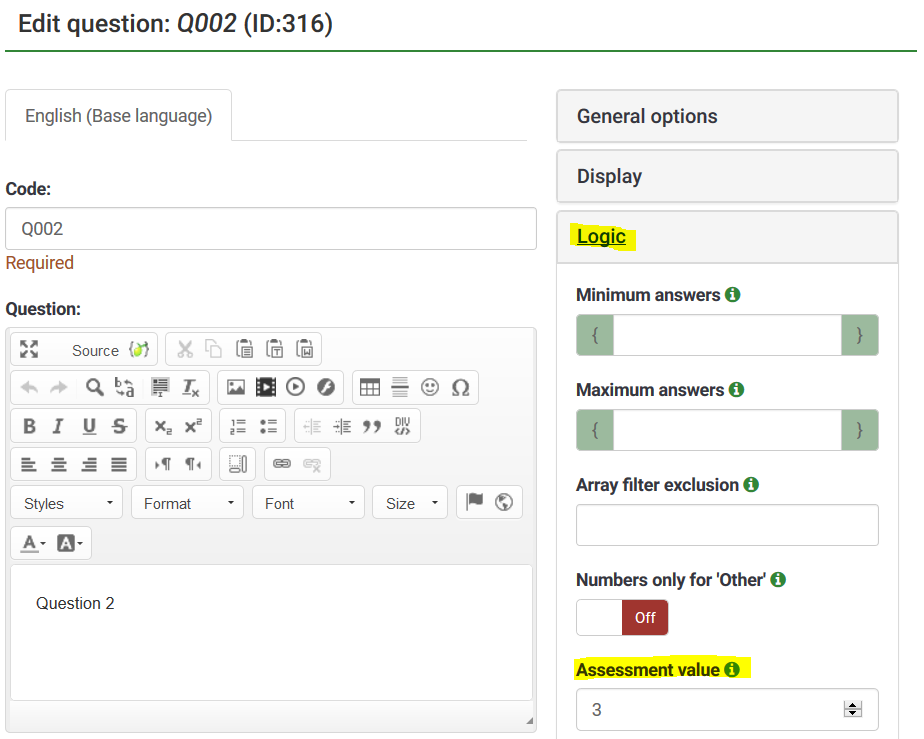
- Set the "Assessment value" at the "Logic" section of the question settings. For this question type, for technical reasons, each subquestion can be selected the same number of times based on the assessment value you set.
Demo
- https://plugins.mysurveyhosting.com/index.php/admin
- username/password: garagesale/LNuHMNhS4Y2L
- https://plugins.mysurveyhosting.com/index.php/369538?newtest=Y&lang=en